Summary Statistics
Review the principal account totals and available dashboard summaries from the opening workspace.
Quick operational viewPreview a centralized reseller workspace designed to help you review customer accounts, available credits, subscription status and recent panel activity from one organized interface.
Customer account overview
Credit and package visibility
Status and activity organization
Interface content and available controls may vary according to the reseller account, assigned permissions and current panel configuration.
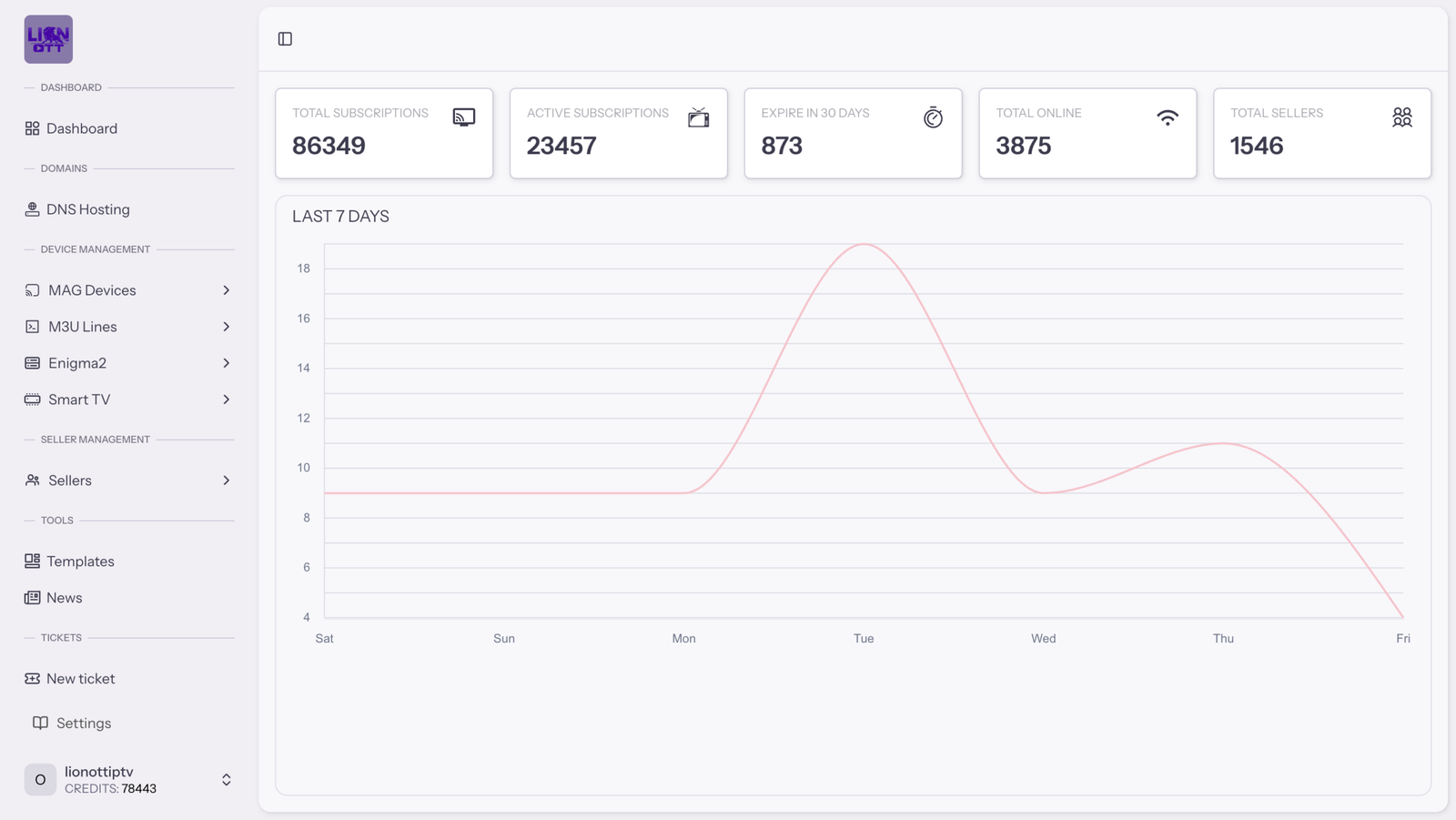
The dashboard brings the main reseller information into a single visual workspace, helping you review account summaries and locate common management areas without moving through unrelated pages.
Review the principal account totals and available dashboard summaries from the opening workspace.
Quick operational viewLocate customer accounts and review the information assigned to each available subscription record.
Organized account listIdentify relevant account states, durations and expiry information where those details are available.
Account status contextKeep commonly referenced panel information grouped within an easier-to-review operational layout.
Structured workspaceA structured side menu separates the main dashboard areas, helping resellers move between the overview, customer records and available management pages with fewer unnecessary steps.
Keep the main panel areas visible from the principal workspace.
Navigate through related account and reseller controls more clearly.
Review the selected page while the navigation remains separate.
Account tables help group essential customer information into consistent rows. Depending on the available permissions, the workspace may provide search, filters and account actions.
Search customer records
| Customer | Account format | Duration | Expiry | Status | Actions |
|---|---|---|---|---|---|
|
AC
Customer record
Reference information
|
Available format | Assigned period | Expiry date | Active | |
|
CR
Customer record
Reference information
|
Available format | Assigned period | Expiry date | Review | |
|
RA
Customer record
Reference information
|
Available format | Assigned period | Expiry date | Expired |
Illustrative interface preview
1 / 1Locate a specific customer record more efficiently.
Review relevant account information in a structured layout.
Distinguish available account states more clearly.
When an account record is selected, the available dashboard controls can place relevant customer information and permitted actions within one focused workspace.
Controls shown are illustrative and may differ from the available panel.
Open the relevant account from the organized customer list.
Check the account format, duration, package and current status.
Use the controls available to your reseller account and permissions.
Account creation, editing, renewal and other controls depend on current reseller permissions, packages and applicable conditions.
Status labels, dates and recent account information can help resellers distinguish active records from accounts that may require review, renewal or another permitted action.
The exact labels, activity information and available actions depend on the current dashboard configuration and reseller permissions.
This dashboard screenshot provides a visual reference for the workspace layout, including its navigation, summary cards, analytics area and recent information panels.
1
2
3
4
Access the main areas of the reseller workspace from the side menu.
Review the available high-level panel and account information.
View available visual summaries within the principal dashboard area.
Keep relevant activity and record information easier to locate.
The screenshot is provided as a visual dashboard preview. Interface labels, statistics, modules and controls may change according to the active panel version, account permissions and current availability.

The panel is presented through a web-based dashboard, allowing authorized resellers to access their available workspace using compatible devices and current login information.
Suitable for reviewing wider tables, statistics and detailed customer-account information.
Access the reseller workspace from a compatible modern browser when working from different locations.
Mobile presentation and available controls may depend on the active dashboard version and screen size.
Use the dashboard only for services, accounts and content that you are legally authorized to manage or distribute. Access credentials should be protected and shared only with authorized users.
Find concise answers about dashboard access, customer records, reseller controls and current feature availability.
It is the web-based management workspace available to eligible resellers. It can organize customer records, status information, credit references and other permitted panel controls.
Eligible reseller accounts may include customer-account management controls. The exact actions depend on the assigned permissions, available formats and current configuration.
The workspace may display the available credit balance and relevant credit references. Confirm current credit quantities and applicable conditions before purchasing a package.
Available account tables may include status and expiry information, helping resellers distinguish active records from accounts that may require review.
The panel is presented through a web interface. Device compatibility, responsive behaviour and available controls may depend on the active dashboard version and browser.
Not necessarily. Available modules and actions can vary according to the reseller level, assigned permissions, packages and current service conditions.
Contact the Lion Panel IPTV team to discuss your reseller requirements, the available credit packages and the current account setup process.
Contact our team to clarify the currently available dashboard tools, reseller permissions, account formats and credit packages before choosing your panel setup.
Confirm current dashboard tools
Review available account formats
Clarify reseller permissions
Compare credit packages
Confirm current pricing, credit quantities, available tools and applicable conditions with our team before completing an order.
We use essential cookies to keep this website working. With your consent, we also use analytics cookies to understand website usage and improve our services. You can accept, reject or customize your choices at any time.